Your trading coach, on every page you read.
Highlight a line you do not understand, or ask what a whole article means for your trades. Otus answers in a panel beside the page — the article stays where it is.

Every plan
Free included — no add-on needed to install it.
7-day free trial
5 questions a day on a free account, no card.
No broad access
Reads a page only when you ask about it.
Your language
Ask in German, get the answer in German.
Free to try
A free account gets Otus in the extension for 7 days — 5 questions a day.
No card needed. The same account opens the first modules of the syllabus.
Read, ask, understand — without switching tabs
Four things the panel does that a search box cannot.
Highlight and ask
The sentence you would have skimmed past
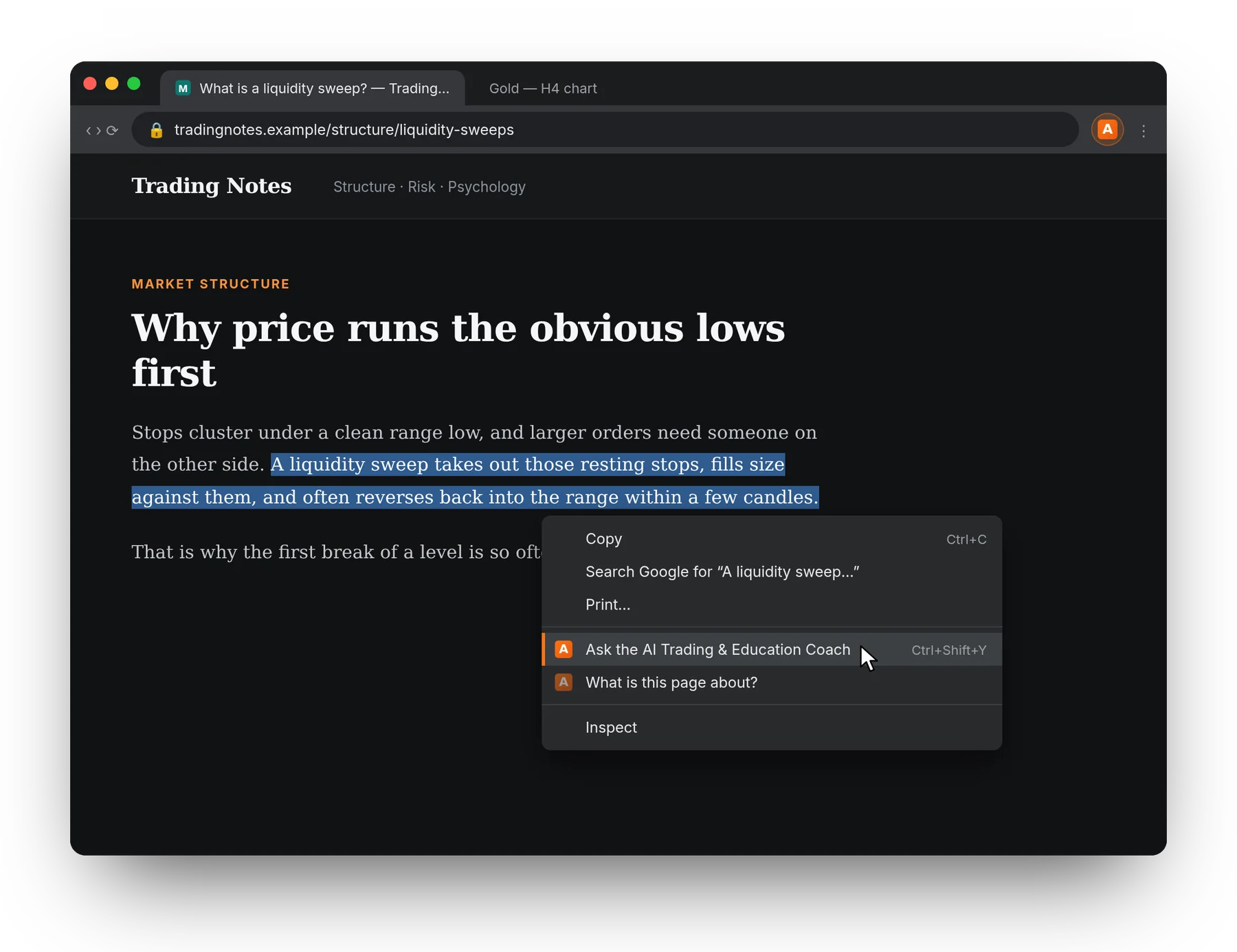
- Select a passage, right-click, “Ask the AI Trading & Education Coach”.
- A plain explanation, then what it implies for a trader.
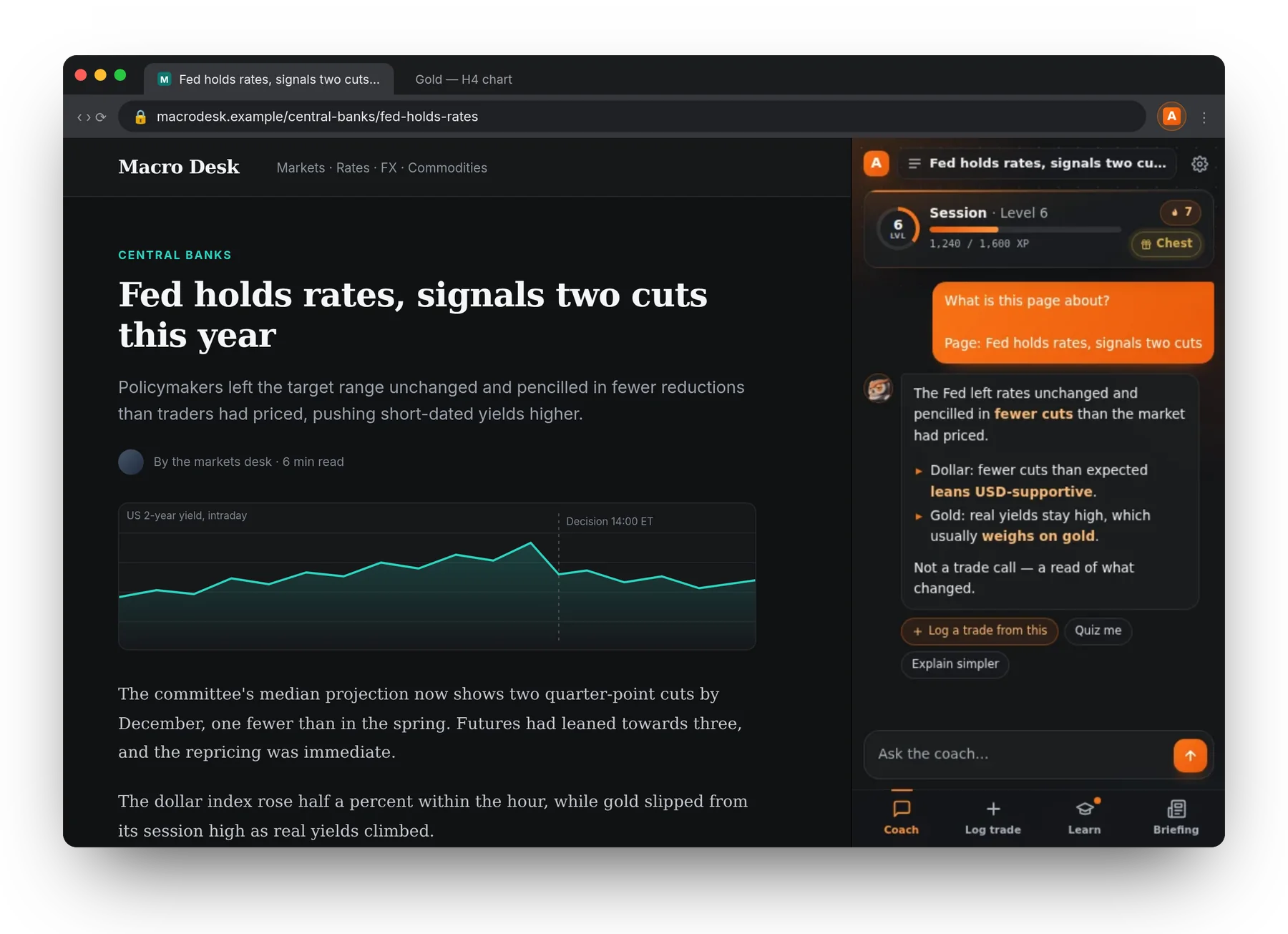
- Or ask with nothing selected: “What is this page about?”
Learn as you read
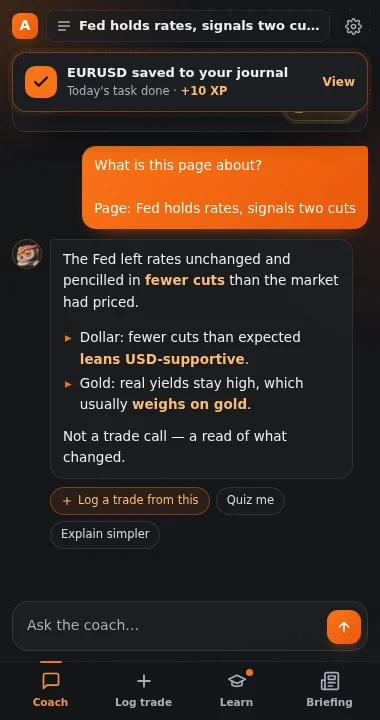
Turn an article into three questions
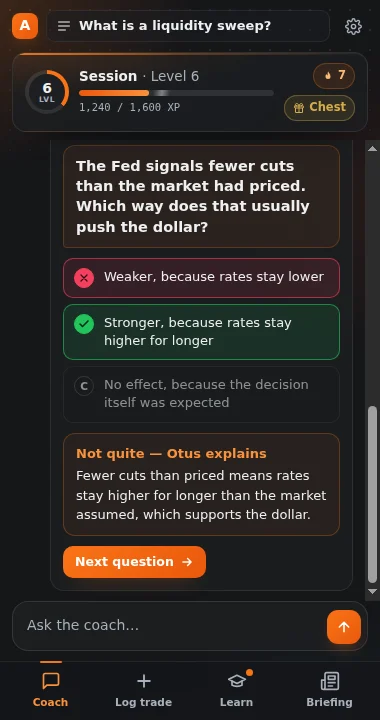
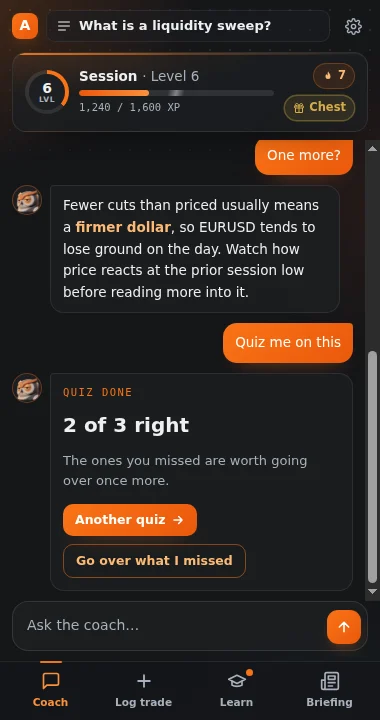
- “Quiz me” writes questions from the page you are on.
- A wrong answer is explained, not just marked red.
- Every quiz and chapter pays XP on the same board as the website.
Log a trade
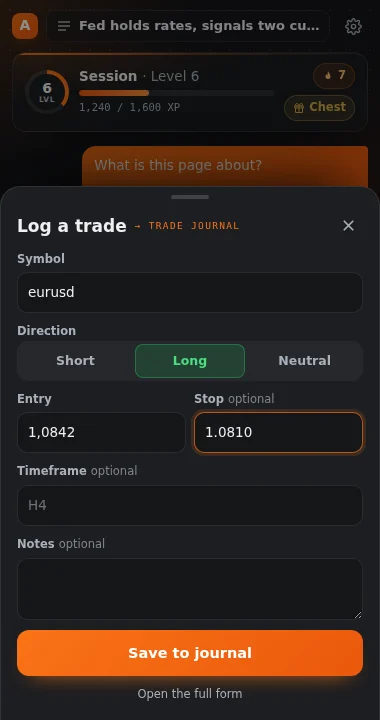
The idea from the article, into your journal
- “Log a trade from this” fills the sheet from the conversation.
- Saved straight to your trade log, settled later against the market.
- The board ticks the day’s task and shows the XP it paid.
Your board comes along
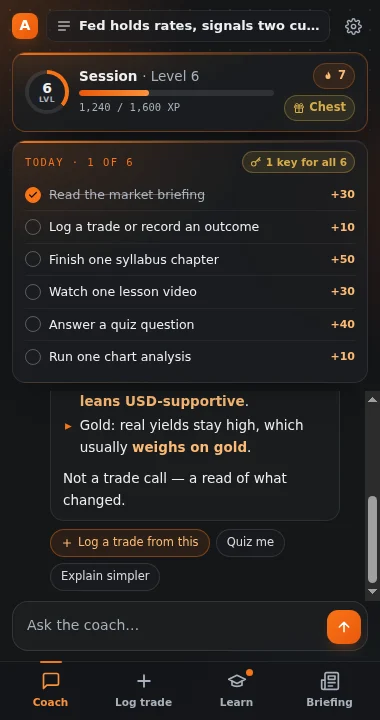
Level, streak and today’s tasks, one tap away
- The same level, keys and streak as your dashboard.
- Today’s tasks open from the strip at the top of the panel.
- Reading the briefing, a chapter, a quiz — each one counts.
No page needed
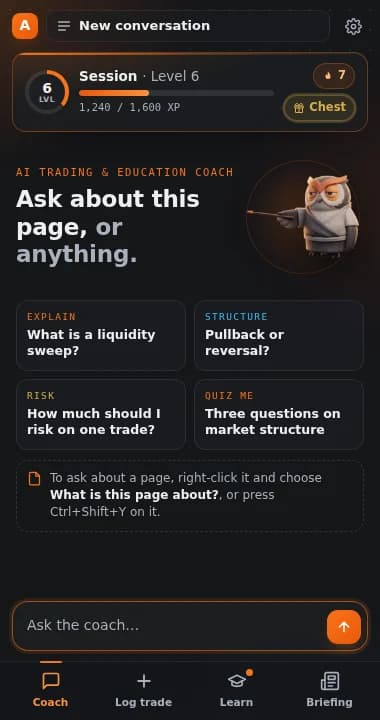
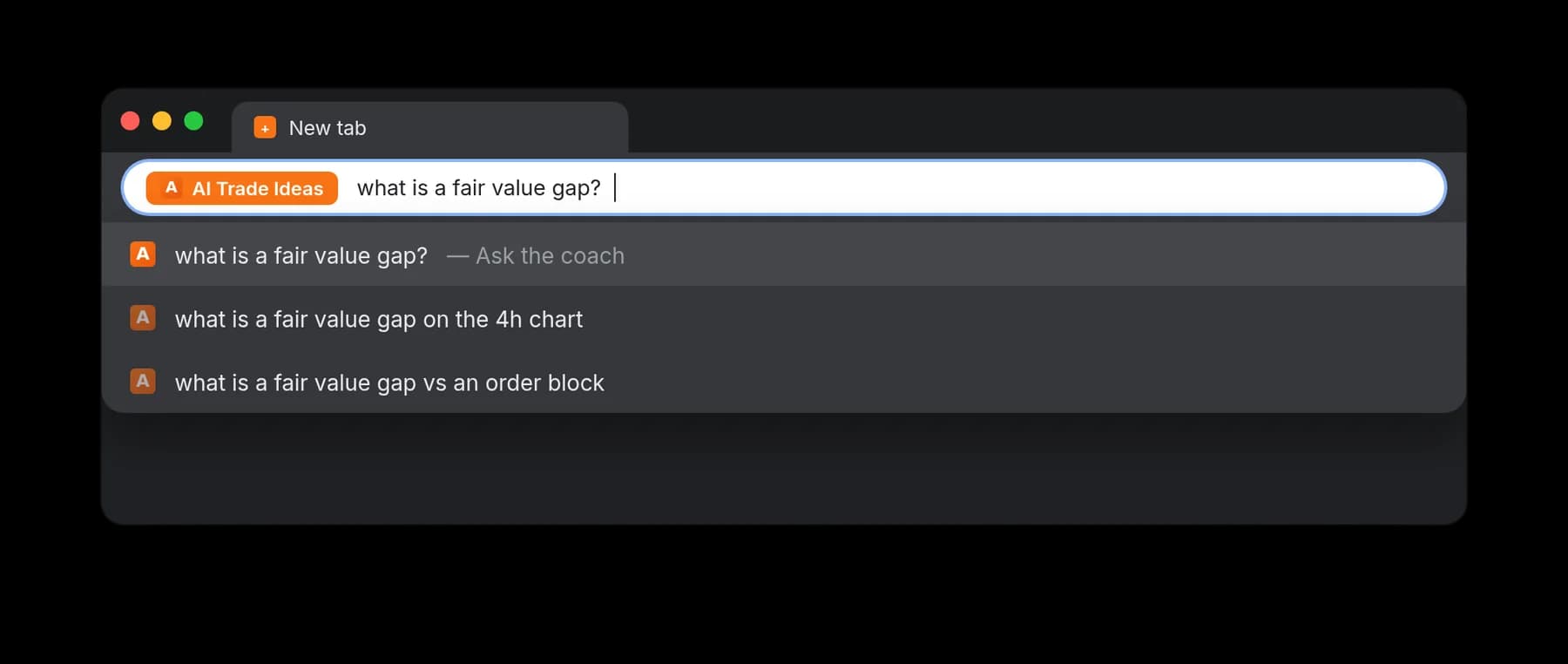
Type “aiti”, a space, your question
- Straight from the address bar, for the question with no page behind it.
- Or Ctrl + Shift + Y on any page — handy on charting sites.
Four ways to ask
All of them open the same side panel, and all of them are things you do on purpose. Nothing runs on its own.
Right-click a passage
Ask the coach what it means, in plain terms, and what it implies for a trader. The panel opens beside the page instead of covering it.
Right-click with nothing selected
Ask what the whole page is about. The article is read on your machine, the noise around it dropped, and follow-up questions keep it in view.
Ctrl + Shift + Y
The same two actions without the menu — it sends your selection if you have one and asks about the page if you do not. For sites where a right-click is hard to land, charting platforms especially.
Type “aiti” in the address bar
For the question that has no page behind it. Keyword, space, question — the panel opens with it.
What it is honest about
Your language
Ask about an English article in German and the answer comes back in German. Otus answers in the language you write in, not the one the page happens to be in.
No broad access
No host permissions and no background reading. A page is read only for the one tab you act on, and only when you act. Text a page plants to address the coach is treated as quoted material, never as an instruction.
Text, not charts
It reads what a page says. It does not look at charts — a screenshot carries no symbol and no timeframe, so that lives on the Analysis page, where you upload the chart on purpose.

Two minutes to set up
Add it to Chrome, sign in once, and the next article you read comes with a coach.
Free account, 7-day coach trial, no card. What each plan includes